
Note: Auto only supports 1K. 1:1 does not support 4K.
Polaroid Filter With Authentic Instant-Film Character
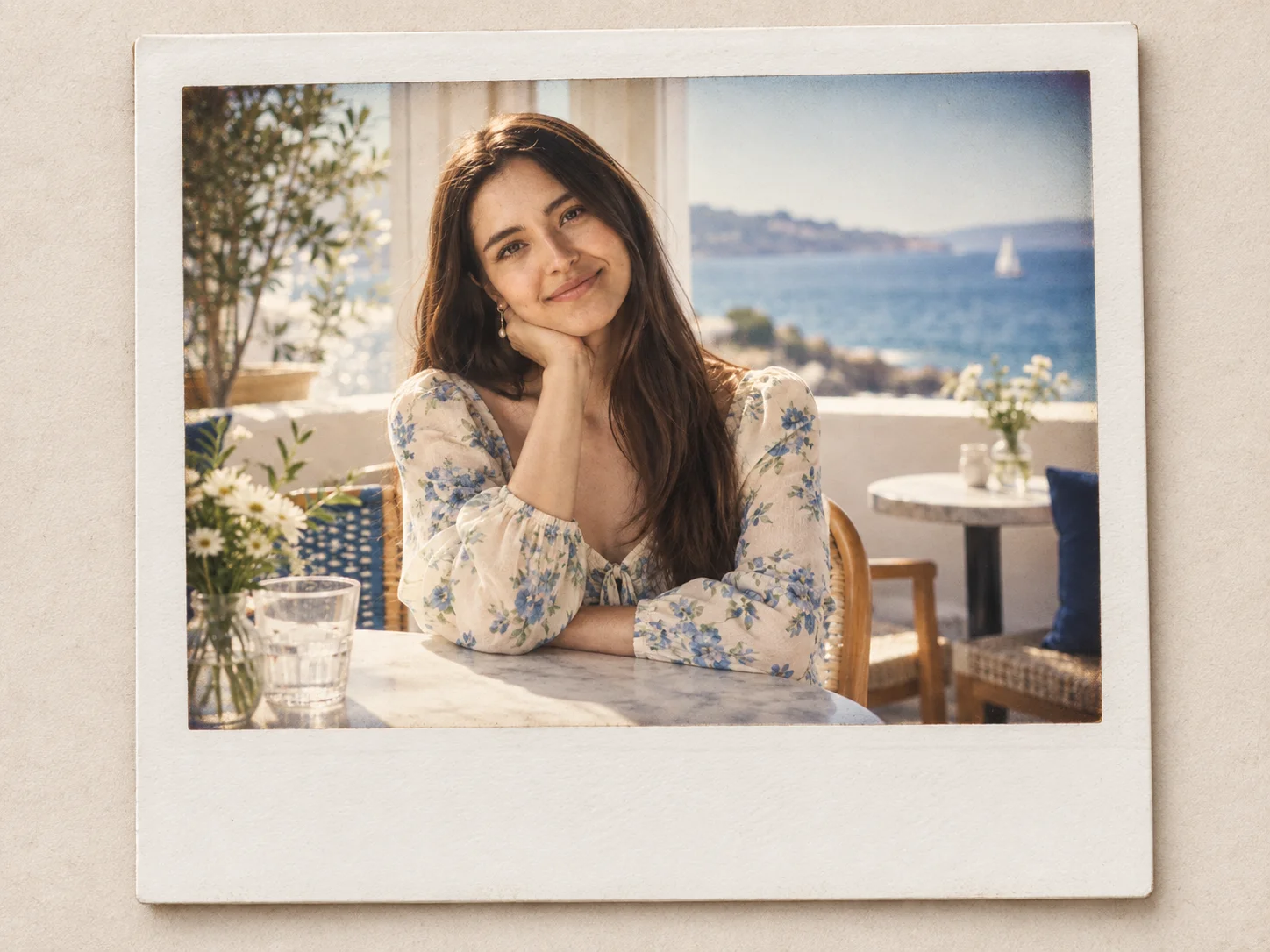
Transform portraits, couple photos, family moments, travel shots, and candid snapshots into polished instant-film keepsakes. Add a realistic white border with extra bottom space, warm faded color, soft contrast, fine film grain, gentle vignetting, and subtle flash bloom while keeping the subject and composition recognizable.

How to Use the Polaroid Filter
Upload a Clear Photo
Choose a portrait, couple shot, family picture, travel image, or candid moment with visible subjects and balanced lighting. JPG, PNG, and JPEG source images with a clean composition give the instant-film frame room to breathe.
Describe Your Instant-Film Look
Use the prepared prompt or refine the mood with details such as warm faded highlights, fine grain, a wider caption area, soft vignette edges, subtle light leaks, direct-flash Y2K color, or scrapbook styling.
Generate, Compare, and Download
Generate the polaroid version and review the frame, color fade, subject clarity, grain, highlights, and overall balance. Adjust the prompt when needed, create another variation, and download the result that best fits your post, album, cover, or memory board.
Why Choose the Polaroid Filter
Build More Than a Simple Vintage Overlay
Combine a convincing white instant-photo border with warm color shifts, softened contrast, fine grain, restrained vignetting, and flash-inspired highlights. These coordinated details give a digital image the character of a developed print instead of a flat preset.
Keep the People and Moments Recognizable
The uploaded image anchors the transformation, helping facial features, poses, clothing, relationships, and the original composition remain connected to the source while the color and material finish shift toward analog instant film.
Shape the Frame and Mood for Each Project
Guide the same photo toward a clean editorial print, a faded family keepsake, a direct-flash party snapshot, or a scrapbook-ready frame with extra bottom space. The result can suit social posts, digital albums, invitations, covers, and mood boards.
Who Uses an AI Filter?
Social Media Creators
Transform portraits, pet photos, and everyday shots into eye-catching profile images, posts, Stories, and thumbnails.
Marketers and Small Businesses
Create stylized product photos, campaign visuals, and promotional graphics without a complex editing workflow.
Designers and Creative Hobbyists
Explore visual styles for mood boards, posters, stickers, personal artwork, and early design concepts.
FAQs About the Polaroid Filter
Turn Everyday Photos Into Instant-Film Memories
Upload a favorite photo and give it a realistic white frame, warm faded color, fine grain, and a tactile analog finish with Filter AI. Sign up, use your trial credits, and create a polaroid-style keepsake.