
Note: Auto only supports 1K. 1:1 does not support 4K.
Blue Photo Filter for a Moody Indigo Portrait
Turn a portrait into a low-key blue scene with deep indigo-violet shadows, muted lavender-grey midtones, and soft cool-blue highlights. Give skin an ethereal pale-blue tint while keeping the eyes, expression, and facial detail visible.
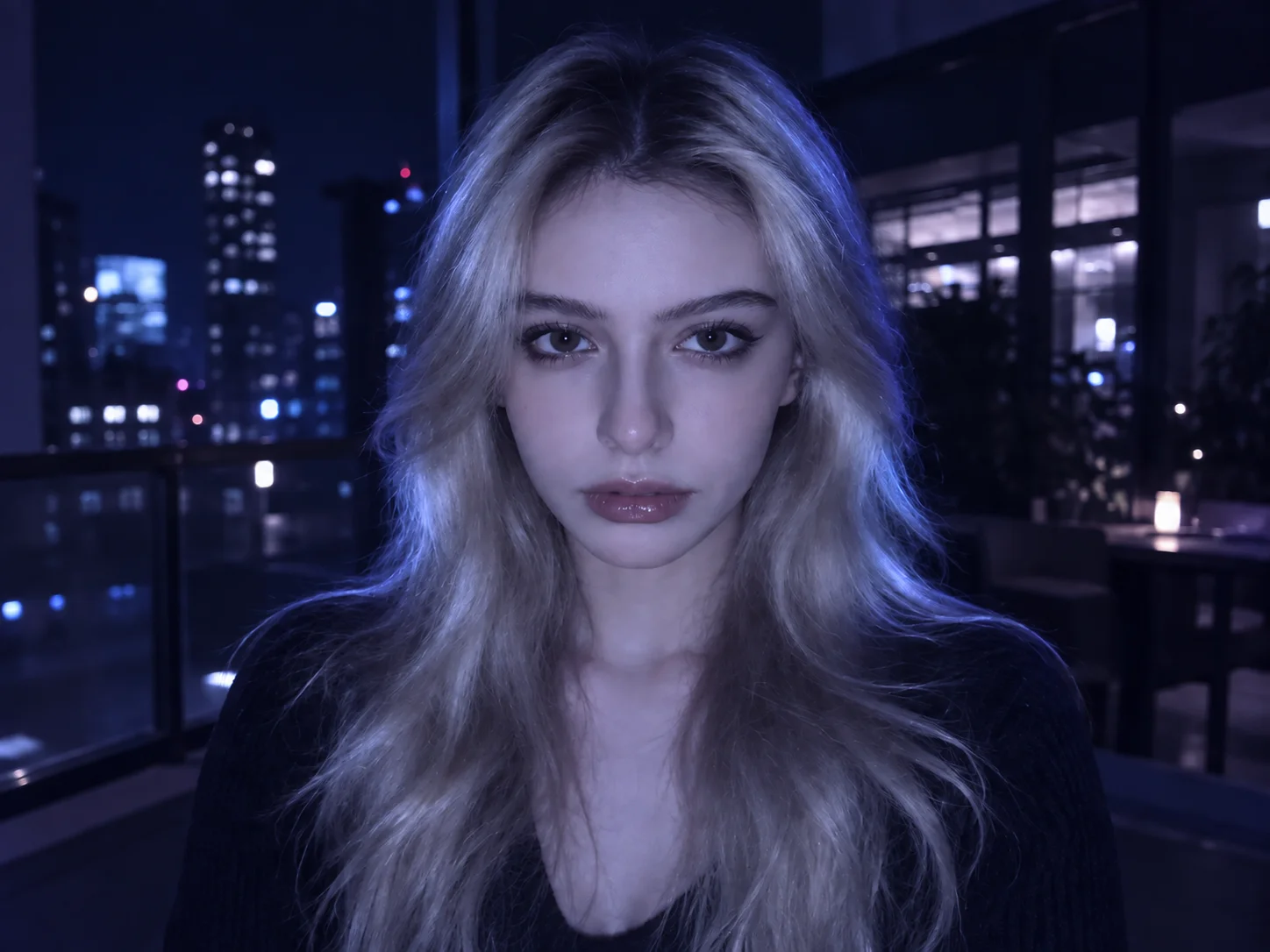
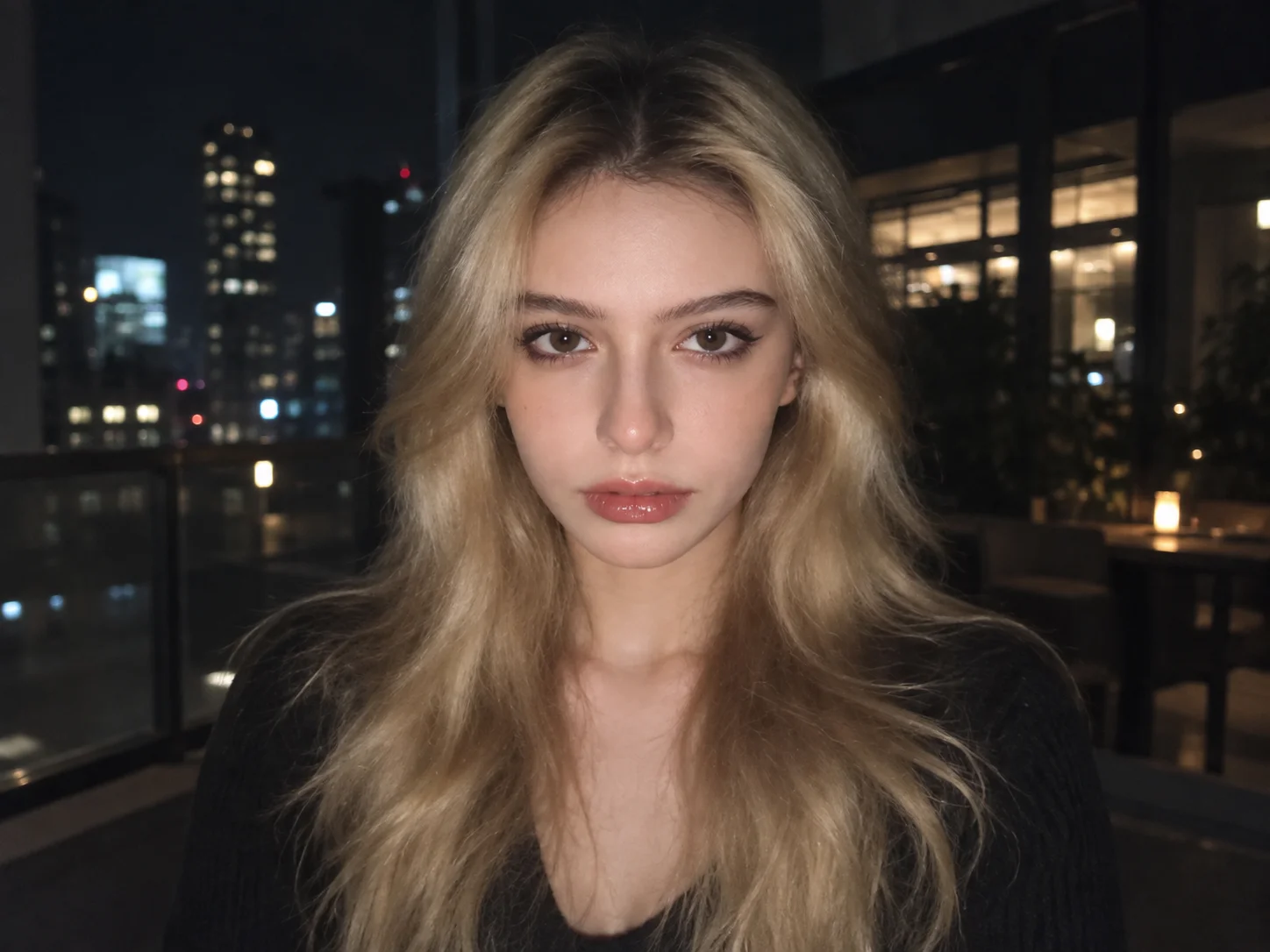
How to Use the Blue Photo Filter
Upload a Clear Portrait
Choose a photo with a visible face and enough detail in the shadows for the blue color grade to follow the original scene.
Generate the Indigo Mood
Apply the filter to shift shadows, midtones, and highlights. Edit the prompt if you want a softer blue cast or a deeper night look.
Preview and Download
Check the face and blue tones, compare them with the original, and save the version that matches your mood.
Why Try Filter AI's Blue Photo Filter
More Than a Flat Blue Overlay
Indigo shadows, lavender-grey midtones, and cool-blue highlights give the image depth while maintaining visible texture and facial structure.
A Distinctive Melancholic Mood
Low-key light and cinematic shadows turn an ordinary portrait into a quieter, more introspective blue scene.
Keep the Person in the Picture
Let skin take on an intentional pale-blue tint while keeping the eyes, expression, hairstyle, and composition recognizable.
Who Uses an AI Filter?
Social Media Creators
Transform portraits, pet photos, and everyday shots into eye-catching profile images, posts, Stories, and thumbnails.
Marketers and Small Businesses
Create stylized product photos, campaign visuals, and promotional graphics without a complex editing workflow.
Designers and Creative Hobbyists
Explore visual styles for mood boards, posters, stickers, personal artwork, and early design concepts.
Blue Photo Filter FAQs
Give Your Portrait a Blue Night Mood
Upload a portrait and explore indigo shadows, cool highlights, and a quiet cinematic atmosphere.